
Authors and author box
Learn how you can improve Shopify blog layout elements
3 min read
Readers trust a post more when they know who wrote it. vevy lets you create author profiles and show them on your posts. Authors are on every plan.
How to add an author
Open vevy from the Apps menu in your Shopify admin.
-
Go to Settings and open the Authors tab.
-
Add the author’s details: - Photo - Name - Short bio (up to 200 characters) - Link label and URL (optional), for example “Follow on Instagram”
-
Save.
You can add as many authors as you need.
You can also open your author profiles from the template settings. In the Author box row, click Manage author profiles.
How to pick the author of a post
In the blog builder, open the Post tab and choose the author.
How to show the author on your posts
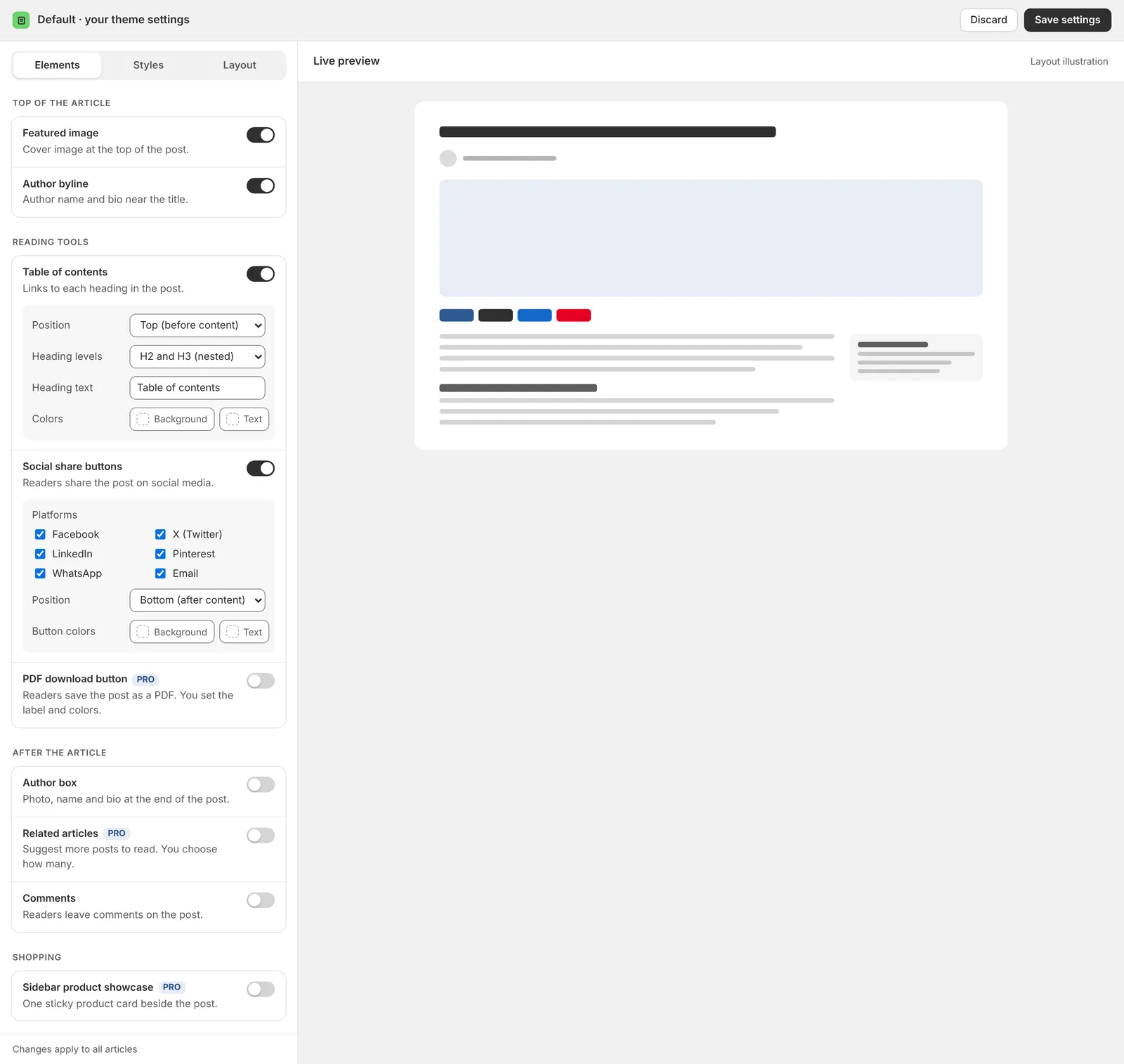
There are two ways to show the author. Both are turned on in the template settings: go to Templates, click Customize design and open the Elements tab.
- Author byline (under Top of the article): shows the author’s name near the title.
- Author box (under After the article): shows a box at the end of the post with the author’s photo, name, bio and a button.
Good to know
- If the link label and URL are empty, the author box shows no button.
- If a post’s author has no profile, the author box shows the name only.